



Stop Abandoning Your Perfection the Moment You Hit Send
We spend so much time talking about how to make our photographs better. We perfect every detail of capture and editing. We toil to refine and distill our photography skills until we can produce amazing work on demand or until it becomes muscle memory. It is a lot of work and focus, yet for many of us, we abandon that commitment to perfection the moment we hit send.
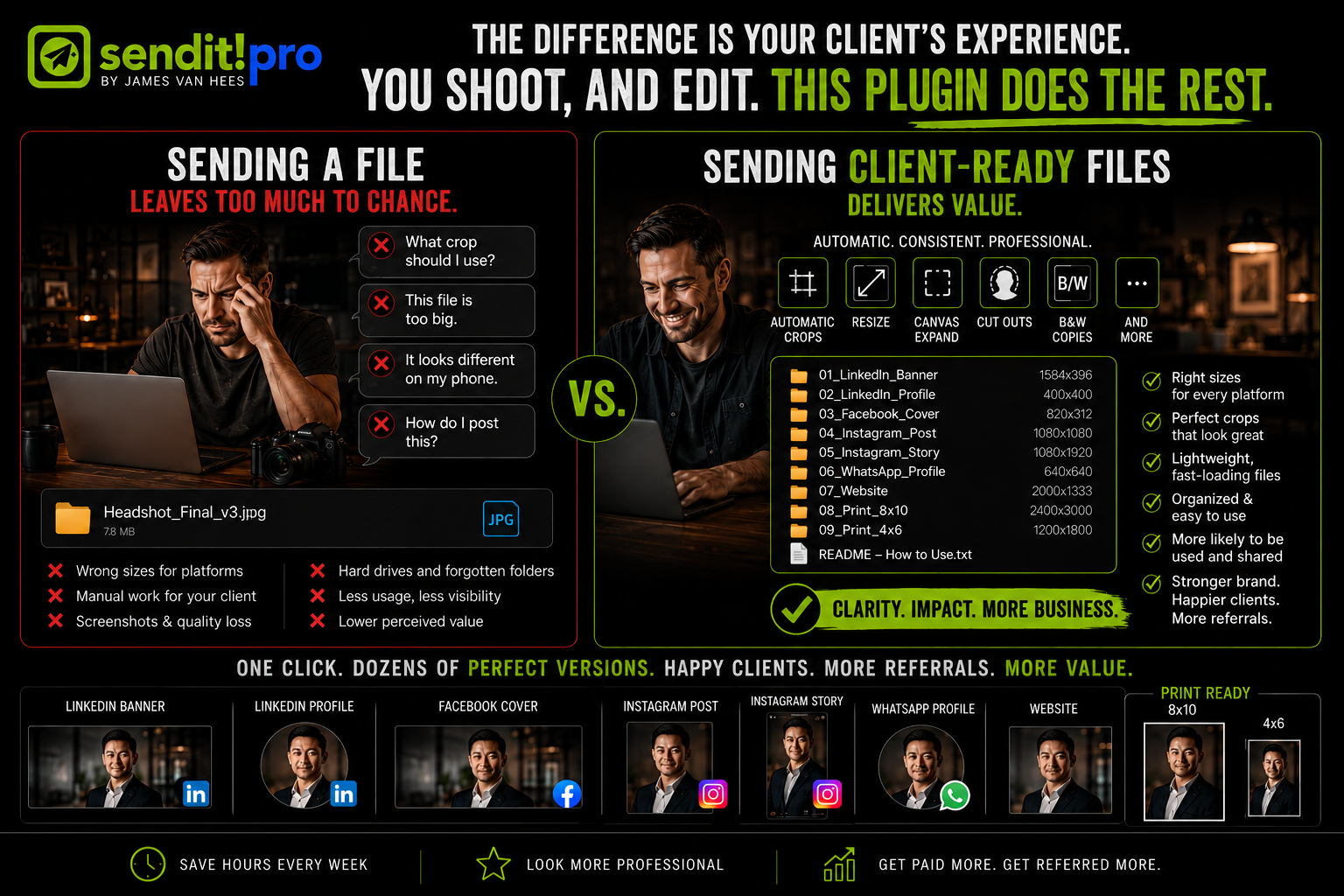
The majority of you send strictly digital copies of your work as your deliverable. Some include a hi-res version and maybe a web version. Your clients receive these copies of your perfected images and have no idea what to do with them. The file is too big for this app, the crop does not work for that platform, and clients do not know how to crop or resize. What fits on LinkedIn does not fit on Instagram. What works on Instagram is not what Facebook wants.
Look, it is 2026. The online world uses way more than 3:2 or 5:4 ratios. This is why your clients start taking screenshots of your work to upload instead. Can you imagine? Screenshots of your perfect work. Making it look like crap.
Look, I know how this works. By the time you are done editing, you just want the job off your plate. But here is the thing: files that your clients cannot use easily do not get used. They do not get seen. They sit on a phone or get tucked away on a hard drive and forgotten. Your perfect work, invisible. And if clients are not using the files, they are not thinking about you for their next shoot or referring you to others.
A few years ago, I saw this problem as an opportunity to give myself an edge and give my clients a better experience without creating more work for myself. I examined the photographer’s workflow. All those steps we do instinctively. I looked at what clients actually needed. Then I built a tool to bridge that gap without adding to my workload. It was called Sendit! It was a Photoshop script that could resize and re-crop automatically, detect where someone was in the frame and center around them. It handled renaming, metadata, color spaces, and even made black-and-white copies.
I am proud that many crew members got the script and had success with it. They saw the potential time savings, automated the dreary task of making variants, and made money by adding it to their workflow.
Returning to my original goal of building something that truly helps photographers save time and make money, I realized that our industry has evolved, and I knew we could do even better. Sendit could be so much more. It could be faster, smarter, and come with more of the capabilities photographers need today, such as canvas expansion, generative fill, backdrop changes, transparency and knockouts, new file types, adding copyright and location data to every file, and full compatibility with Adobe’s never-ending updates.
So I built Sendit! Pro. One button can create multiple sizes, formats, and products all at once using fully customizable recipes. Your files get organized, renamed, and optimized so that when you hit send, your client gets the best delivery experience of the best work you have ever done. That’s perfection, completed.
Sendit! Pro adds real value to your services. It gives you a means to charge more and make more from every single shoot. But most importantly, it fulfills your clients’ actual needs while making you look like the expert in the room.
Here is the hard truth. If you shoot like a pro, then you need to deliver like a pro. It is really quite simple with Sendit! Pro. Just stack your recipes and click. You can deliver optimized, client-ready images tailor-made for the specific places and platforms your clients actually use. All renamed, organized, and ready to show the world.
Download the seven-day free trial today and see the difference for yourself. I will even include a personal one-on-one session to help you set it up and optimize it for your exact workflow and business. And yes, a generous crew perk is available.
Sendit! Pro Plugin
4 Comments
Cool do you have it for Capture one or Evoto?
I believe it's exclusively a PS plugin.
It is a Photoshop plugin only, as it uses Generative Fill, Generative Expand, and advanced subject selection and canvas expand too. Evoto and Capture One can not do these things.
I did a quick run through of Sendit! in the past, and while I knew it would help, I struggled with setting up my recipes. I had intended to circle back to focus on it once time was available and never did.
I'll give Sendit! Pro a gander soon, but may need the help to get things set up
Log in or Create an account to post comments.